
Who is AccountChek™?
Leading lenders trust Atlanta-based FormFree to deliver automated verification solutions that streamline the loan origination process and provide better intelligence on borrowers’ ability to repay. FormFree’s flagship app, AccountChek™, eliminates the hassle of collecting paper statements from borrowers by using direct-access data untouched by human hands to consolidate, analyze and verify assets. Lender tested and GSE approved, AccountChek™ securely delivers automated asset verification data and on-demand reports to more than 350 leading U.S. lenders and their millions of customers.
Integration type: Verification of Assets
What will the Floify—AccountChek™ Integration support?
Floify's integration with Day 1 Certainty-approved digital asset verification provider AccountChek™ by FormFree allows lenders and originators to order and receive borrower asset reports within Floify by connecting their existing AccountChek™ account.
Once integrated with Floify, AccountChek™ can be configured to automatically trigger a request upon the conversion of a prospect into a loan flow, ordered manually on a one-off basis from the corresponding loan flow, or requested directly in your personalized application. Follow the steps that best match your workflow.
Once an AccountChek™ request is initiated, borrowers will be asked to select their financial institution and enter their login credentials. The full report will then be seamlessly delivered to the loan flow.
Watch this video to learn how to install and use

How to install and use
Once integrated with Floify, AccountChek™ can be configured to automatically trigger a request upon the conversion of a prospect into a loan flow, ordered manually on a one-off basis from the corresponding loan flow, or requested directly in your personalized application. Follow the steps that best match your workflow.
Manual VOA Installation & Request Automatic VOA Installation & Request
These steps will take you through the process of installing AccountChek™ for a manual Verification of Assets request.
From the team pipeline, choose the team name in the upper right-hand corner and navigate to the Company Dashboard.

Navigate to VOA and enable Income Verification.

Important: Only a Company Admin can access Company Settings. Once enabled, it is available for all teams.
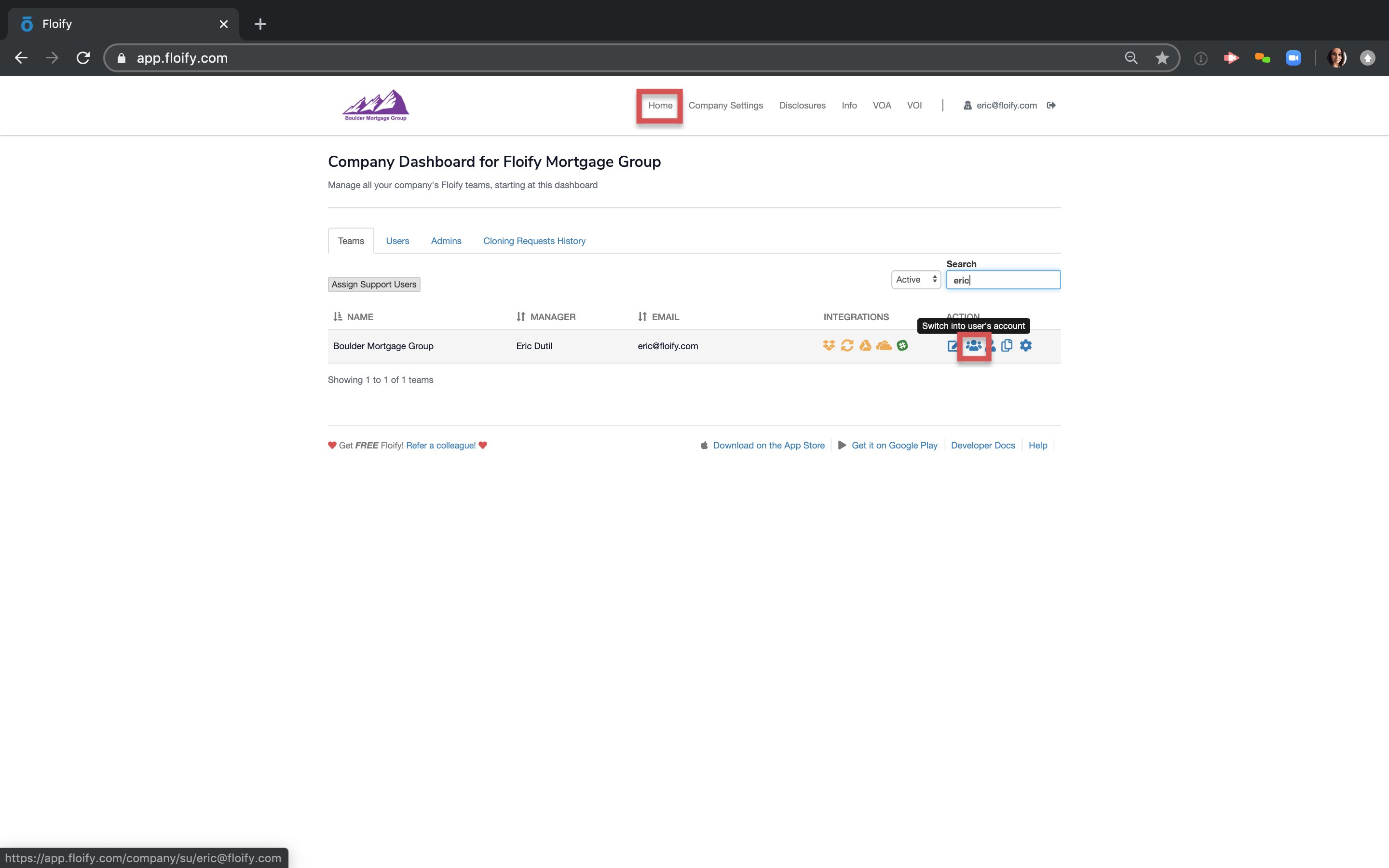
Navigate to the home page and switch back into the user's account.
Click the red, yellow, or green buckets to get into the desired loan flow.

Click on Add New Doc.

Scroll to the app to initiate an AccountChek Request.

Complete the AccountChek Request and submit.

A request for Bank Account Information is then sent as a request to your borrower. Your borrower will login to their portal, find the AccountChek Request and click the up arrow.

The borrower will select which process to proceed uploading their account information.

The Online Banking solution allows the borrower to search for their bank, input their login credentials, and automatically upload account statements.

Manually uploading account information takes the borrower through the familiar process of selecting documents from their computer.

Once completed, the account information is uploaded directly into the 'Docs Accepted' bucket.

These steps will take you through the process of installing AccountChek™ for an automatic Verification of Assets request in your application.
Navigate to the AccountChek™ integration via the Integrations tab in your team Settings.

Connect to AccountChek™.

Navigate to the Apply Now General Settings via the Apply Now tab in your team Settings.

Enable Verification of Assets via AccountChek™.

In the Checking/Savings Account section of your application, your borrower will now be able to utilize the Online Banking solution and connect their bank account to automatically upload their bank statements to their loan flow or prospect.